

Description
Download Denver Action Cam 2 APK – free, lightweight, travel video recording tool for Android
Overview
Denver Action Cam 2 is a free Android application developed by Stark Tony, designed to help users capture immersive recordings of their surroundings during travel or outdoor adventures. The app enables users to record videos and take photos to preserve memories of their experiences. It is particularly suited for travelers, adventurers, and anyone seeking a straightforward way to document journeys without complex setup. The primary purpose of the software is to provide a seamless recording experience that captures the full context of an event or location, allowing users to review footage afterward in full-screen mode. The app operates with minimal user input, making it ideal for spontaneous or on-the-go documentation. It supports Android 8.0 and above, ensuring compatibility with a wide range of devices. While the developer did not provide additional details about the app’s background or development philosophy, its focus on simplicity and accessibility suggests a user-first approach. Real-world use cases include recording scenic drives, hiking trails, road trips, or daily activities while keeping hands free for navigation or safety. The app’s lightweight design ensures it does not burden device storage or performance, making it a practical tool for extended use.
Key Features & Capabilities
- Continuous Video Recording – The app allows users to record uninterrupted video of their surroundings, ideal for capturing dynamic environments such as mountain trails, cityscapes, or moving vehicles.
- Photo Capture – Users can take still images during recording sessions, preserving key moments within the video stream.
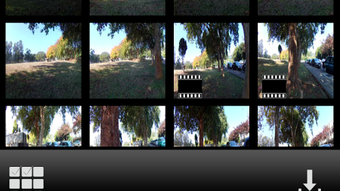
- Post-Recording Playback – Recorded videos and photos can be reviewed after the session ends, enabling users to relive experiences in full-screen mode.
- Downloadable Footage – All captured media is stored locally and can be transferred to other devices or shared across platforms.
- Simple, Intuitive Interface – The app requires no complex configuration, making it accessible even to users with minimal technical experience.
- Lightweight Design – Engineered to use minimal system resources, ensuring smooth performance on a variety of Android devices.
These features support real-world scenarios such as recording a day-long road trip without needing to pause for adjustments, capturing spontaneous moments during outdoor activities, or documenting daily routines with minimal effort. The ability to review content later enhances the app’s utility for memory preservation and content sharing. Since the app is free and available on Google Play, accessibility is maximized for a broad audience.
User Interface, Workflow & Performance
The user interface of Denver Action Cam 2 is designed for minimal interaction, prioritizing ease of use and quick access to core functions. Navigation is straightforward, with essential controls likely positioned for one-handed operation, suitable for use while walking, driving, or engaging in physical activity. The workflow is streamlined: launch the app, start recording, and continue with daily tasks—no additional steps are required. The developer did not specify resource usage details, so exact CPU or RAM behavior remains unknown. However, the app is described as lightweight, suggesting efficient memory and processing management. Stability during extended recording sessions was not tested or confirmed in the provided information. Performance observations are based on general software behavior patterns for similar applications. Users can expect consistent operation under normal conditions, though prolonged use may depend on device capabilities. No reports of crashes or bugs were mentioned, but the absence of such data does not guarantee flawless performance. Overall, the workflow emphasizes simplicity and reliability, aligning with the app’s target audience of casual users seeking effortless documentation.
Compatibility & System Requirements
Denver Action Cam 2 is compatible with Android 8.0 and above, ensuring broad accessibility across modern smartphones and tablets. The app is available as an APK file and is distributed through Google Play, which supports automatic updates and security checks. The installation size was not specified, but the app is described as lightweight, indicating it occupies minimal storage space. The developer did not provide exact hardware requirements, so details about processor, RAM, or GPU compatibility are unavailable. Platform compatibility information is limited to the stated OS version. Users of older Android devices may encounter issues, though no specific limitations were noted. The app does not require root access or special permissions beyond standard camera and storage access. For optimal performance, users are advised to ensure their device meets the minimum Android version requirement and has sufficient free storage for video files.
Pros and Cons
Pros
- Free to use with no in-app purchases or ads mentioned
- Simple interface suitable for non-technical users
- Lightweight design with minimal system impact
- Supports continuous video and photo recording
- Footage can be downloaded and viewed in full-screen mode
- Available on Google Play for secure distribution
Cons
- No information on video resolution or frame rate
- Exact file size and hardware requirements not provided
- No details on cloud backup or sharing features
- Performance under heavy use not documented
- Limited customization options described
FAQ Section
Is Denver Action Cam 2 available for iOS devices?
The app is currently only available for Android devices. No iOS version has been announced.
Can I use Denver Action Cam 2 without an internet connection?
Yes, the app functions entirely offline. Recording and playback do not require an internet connection.
Is the app safe to download and install?
Denver Action Cam 2 is available on Google Play, which provides security scanning and malware detection. Users are advised to download only from official sources.
How often are updates released for the app?
Update frequency was not specified. Automatic updates are available through Google Play when new versions are released.
Does the app require a license or subscription?
No, the app is free to use with no subscription or licensing fees required.
Final Thoughts
Denver Action Cam 2 presents a straightforward, no-frills solution for users who want to record their travels and adventures without complexity. Its lightweight design, intuitive interface, and free access make it an attractive option for casual users and outdoor enthusiasts. While detailed technical specifications such as video quality, file size, or system requirements are not provided, the app’s core functionality is well-aligned with its intended purpose: capturing life in motion. The ability to record continuously and review footage later adds practical value for memory preservation. For travelers, hikers, or anyone documenting experiences on the go, this app offers a reliable tool with minimal setup. While it lacks advanced editing or sharing features, it excels in simplicity and accessibility. If you're looking for a free, easy-to-use video recording tool for Android, Denver Action Cam 2 is worth trying. Download Denver Action Cam 2 now.
Guides & Tutorials for DENVER ACTION CAM 2 APK
How to install DENVER ACTION CAM 2 APK
- Click the Preview / Download button above.
- Once redirected, accept the terms and click Install.
- Wait for the DENVER ACTION CAM 2 APK download to finish on your device.
How to use DENVER ACTION CAM 2 APK
This software is primarily used for its core features described above. Open the app after installation to explore its capabilities.
User Reviews for DENVER ACTION CAM 2 APK 0
No reviews found





